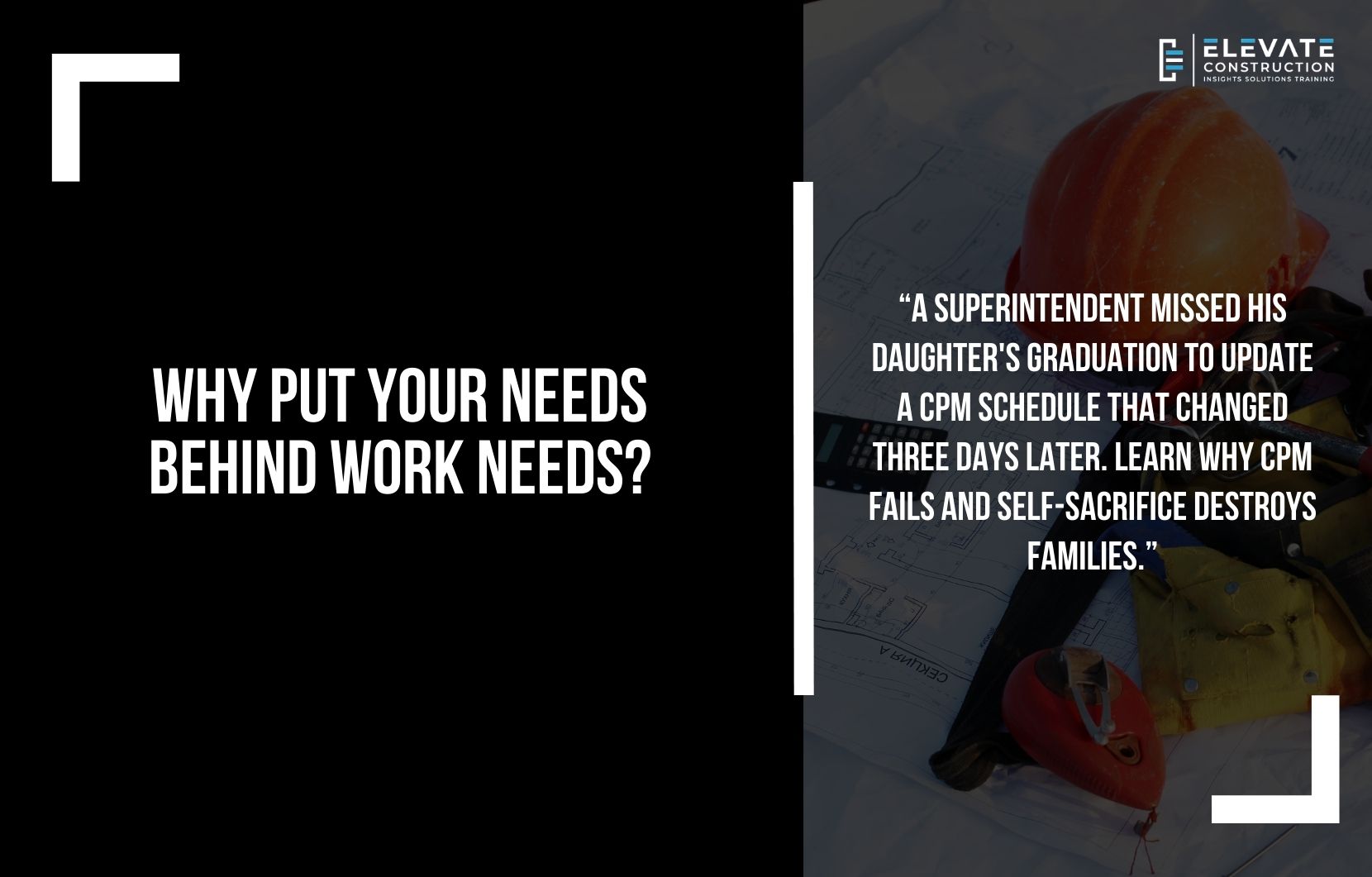
The Superintendent Who Missed His Daughter’s Graduation to Update a CPM Schedule That Changed Three Days Later
There is a superintendent sitting in his truck outside a high school auditorium. Inside, his daughter is graduating. Valedictorian. Full scholarship to MIT. The ceremony started twenty minutes ago. He promised he would be there. Front row. Camera ready. But this morning the project scheduler called. The CPM schedule needs updating. The owner wants a revised critical path analysis. And the superintendent has been on his laptop for three hours inputting actual dates, adjusting logic ties, and running forward and backward passes to generate a new baseline that shows the project finishing two weeks later than last month’s schedule predicted. He finally hits save. Closes the laptop. Walks into the auditorium just as his daughter accepts her diploma. She looks for him in the crowd. Does not see him. Smiles anyway. And keeps walking. Three days later, the owner changes the scope. The schedule gets revised again. All that work becomes obsolete. The superintendent realizes he missed his daughter’s once-in-a-lifetime moment for a schedule update that meant nothing. And he wonders: when did I start prioritizing a company that will replace me tomorrow over the people who will love me forever? This is not time management failure. This is a broken value system. Where companies train people to sacrifice everything for work. And where scheduling systems so ineffective that they require constant updates become excuses for missing life. CPM does not just waste time on projects. It steals moments from families. And it needs to stop.
Here is what happens when construction prioritizes ineffective systems over people. A project team spends twelve weeks building a CPM schedule. Five thousand activities. Logic tied. Critical path identified. Float calculated. Resource loaded. They present it to trades. Nobody understands it. Too complex. Too detailed. Impossible to read. So trades ignore it. Build their own spreadsheets. Track their own sequences. And the official CPM schedule becomes decoration for owner meetings while real coordination happens in hallway conversations and text messages. Six months into the project, the schedule shows substantial completion in eight months. Trades know better. The work cannot happen that fast. But the CPM says eight months. So ownership expectations get set at eight months. And when reality arrives twelve months later, everyone panics. The last four months become a crash landing. Seven twelve-hour days. Mandatory overtime. Families destroyed. Workers burned out. All because the CPM schedule lied from day one. Gave an unrealistic end date. Hid the detail. Created false hope. And nobody had the courage to say: this system does not work. We need something better.
The real pain is the productivity decline construction has suffered since adopting CPM. In 1964, one year before the AGC adopted CPM as the industry standard, construction productivity started declining. From 1964 to 2012, construction productivity decreased 0.32% annually while non-farm industries increased 3.06% annually. The net effect: since 1964, overall US productivity increased 85% while construction productivity decreased 20%. Twenty percent decline. In the only major industry using CPM as its primary scheduling methodology. Meanwhile the Construction Industry Institute found that 50-75% of labor time gets spent on waste with only 8-25% adding value. Compare that to manufacturing: 62% value generation and 26% waste. Construction is the only industry moving backward. Not because workers lack skill. Not because training is inadequate. But because push systems like CPM create variation in supply chains, change milestones daily, increase inventory, waste manpower, and drive costs up while destroying predictability.
The failure pattern is predictable and morally bankrupt. Scheduling consultants defend CPM. Software companies sell CPM tools. Professional schedulers build careers on CPM expertise. Legal teams use CPM for claims analysis. And owners demand CPM schedules in contracts. Every single one of them profits from CPM. So when someone challenges the system, they defend it. Not because it works. But because their paychecks depend on it continuing. Follow the money trail. Show me one CPM defender who does not profit from the system. One consultant who does not bill hours analyzing float trends and variance reports. One software company that does not sell P6 licenses. One legal team that does not use CPM schedules for delay claims. You will not find them. Because everyone defending CPM has financial incentive to keep the broken system alive. While superintendents, workers, and families pay the price through crash landings, mandatory overtime, and destroyed work-life balance.
I have used CPM for over twenty years. I have used Takt planning for fifteen years. I have recovered projects using flow systems to replace failed CPM schedules. And every single time someone calls me to fix a project behind schedule, the first thing I do is create a Takt plan to find the realistic end date. Then we follow that plan. Create flow. Stabilize supply chains. And finish on time. I could make far more money consulting on CPM. Teaching companies how to improve their scheduling departments. Running Acumen Fuse analysis and variance reports. But I will not do it. Because the system is garbage. It hurts people. It destroys families. And I have integrity. I will not profit from a system I know does not work just because companies are willing to pay me to help them use the wrong tool better. That is immoral. And construction deserves better. If your project needs superintendent coaching, project support, or leadership development, Elevate Construction can help your field teams stabilize, schedule, and flow.
Why CPM Fails and Always Will Fail
CPM is overly detailed but just a wild guess. It takes twelve weeks to build. Creates variation in supply chains because milestones change daily. Nobody reads it because it is incomprehensible. And it is the most soloed, non-communicative, ineffective tool construction uses. Over fifty days past substantial completion is the US industry average. Projects never finish on time with CPM. They crash land. Last four months become seven twelve-hour days destroying families while consultants who sold the CPM system profit from analyzing why the schedule failed. The system hides problems. Gives false confidence. And sets unrealistic expectations that doom projects from day one.
Takt planning creates flow. Stabilizes supply chains. Produces realistic durations. And keeps schedules high-level enough that they do not become obsolete when conditions change. CPM produces false precision. Takt produces reliable flow. CPM pushes work based on predetermined dates without regard for readiness. Takt pulls work when conditions allow it to flow. CPM creates chaos in the final months. Takt prevents crash landings by building realistic sequences from the beginning. And yet CPM persists because the people profiting from it refuse to admit it fails. While the people suffering from it lack the power to change it.
The Second Crime: Sacrificing Yourself for Companies That Will Never Care
Beyond CPM failure is a deeper problem. People sacrifice personal health, family time, spiritual needs, and mental sanity for companies that will replace them tomorrow and never think about them again. Field engineers attend boot camp. They complete work goals flawlessly. But they refuse to fill out personal goals and family goals. Why? Because they have been trained to prioritize company needs over personal needs. Every single day. At every moment. Work comes first. Family comes second. Personal health comes third. And spiritual needs get ignored entirely. This is backward. Immoral. And destructive.
The correct order of loyalty is: God, family, yourself, your health, your friends, and then companies last. There is no such thing as being loyal to a company. Companies do not deserve loyalty. They deserve excellent work during the hours you are paid. But they do not deserve your family. Your health. Your sanity. Or your life. You can be replaced. The CFO can be replaced. The project director can be replaced. Everyone is replaceable. So why sacrifice everything for an entity that will never reciprocate? Because you have been trained wrong. And that training needs to stop today.
What You Actually Deserve
You should be spiritually taken care of. Fulfilling church or spiritual commitments. You should be taking care of your body through exercise and proper health. You should have morning and afternoon routines that ground you. You should be able to take your spouse on date night. Attend your kids’ baseball games. Call friends and family. Live a remarkable life. Have Saturdays off except for rare rotation requirements. And you should be able to do all of this while going to work and performing excellently. This is not impossible. This is the baseline. If you cannot do both, you need personal organization training. Clarity on priorities. A functional morning routine. And the courage to set boundaries.
Gary Vaynerchuk says: if one person has done it, anybody can do it. If one person overcame addiction, you can too. If one person climbed that mountain, you can too. If one superintendent with eleven kids and a wife and intense church callings and mega projects can go home on time consistently, you can too. I did it. For years. On complex projects. And if I can do it, you can do it. But first you must believe it is possible. Second, you must decide you deserve it. Third, you must take massive action to get organized. And fourth, you must hold yourself accountable to protect your time the way you protect project schedules.
Excellence Not Perfection
One of the best general superintendents I ever met said: “Excellence, Jason, not perfection. We should never let the execution of perfect things get in the way of doing the right things in an excellent manner.” As builders, we must sort what is not important to focus on excellent execution of what matters. We cannot let paperwork, perfectionism, or unnecessary processes hinder us from doing what we need to do in the field to plan our work. The only exception is safety. Strive for perfection in safety. Perfect execution of policies. Perfect enforcement of site safety. Perfect safety culture. Everything else: excellence, not perfection.
Construction overwhelms anyone who tries to execute everything perfectly. Every T crossed. Ever I dotted. Every piece of paperwork filled out completely. Every task executed at 100%. You would never accomplish anything well. You could work a hundred hours per week and barely finish a portion of what needs doing. Focus on excellence, not perfection. That is how you become most effective. Vince Lombardi said: “Perfection is not attainable, but if we chase perfection, we can catch excellence.” Strive for excellence. Head toward perfection. But do not get bogged down by perfection when you need to focus on what is important.
Example: aligning anchor bolts in footings. You could use a total station to adjust one anchor bolt template by an eighth of an inch while fresh concrete hardens around fifty other unchecked anchor bolts. Or you could transfer lines onto sturdy batter boards, use a vertical laser or plumb bob, and get all fifty anchor bolts checked and placed correctly. Perfection on one means failure on forty-nine. Excellence on all means success on the project. Do not get stuck doing one or two things perfectly when it prevents you from doing everything excellently.
Where Else Are You Sacrificing Yourself?
Everywhere. You do this everywhere. When you are with your kids but checking email. When you are on vacation but taking work calls. When you promise to attend soccer games but cancel because the project needs you. When you skip honeymoons because you are too dedicated to work. When you never take PTO because you think you are irreplaceable. When you work through family vacations. When you miss graduations for schedule updates. When you prioritize chaos at work over clarity in life. This pattern shows up everywhere because you have been trained wrong. And the training must stop.
I cringe when superintendents say they never take vacation. I partially die inside when people say they never took a honeymoon because they were too busy working. I want to scream when I hear people are unhappy and unhealthy at home because they are “dedicated to work.” The person or company that puts you in that situation does not deserve you. If your company puts you in crash landings, forces you to use push systems, or tells you to sacrifice everything to get the job done, they do not deserve you. Because every single job will be like that. You will never have a day in construction where it is not “the busiest time ever.” I used to tell my wife: “I could do this with you. It’s just a busy time right now.” After the seventeenth time, she said: “You know, Jason, it’s always the busiest time. I get it. You’re never going to be here for me.” That woke me up. I decided to take care of my family and myself. And that forced me to get personally organized with clarity, mindset, and morning routines so I could do both and succeed.
The Challenge
Decide today that you deserve better. You deserve spiritual health. Physical health. Mental health. Family time. Personal time. And excellent work performance. You can have all of it. But only if you prioritize correctly. God first. Family second. Yourself third. Friends fourth. Companies last. Never reverse that order. Never sacrifice family for companies that will replace you tomorrow. Never miss graduations for schedule updates that become obsolete three days later. Never work seven twelve-hour days for four months because a CPM schedule lied about the end date.
If you work for a company that demands crash landings, find a better company. If you use CPM schedules that create chaos, demand Takt planning or flow systems that actually work. If you cannot balance work and life, get personal organization training and take massive action. You are good enough to do both. Men must provide. Women must contribute. But nobody must sacrifice everything for employers who care nothing about them. Stop putting work first. Start putting yourself and your family first. And watch what happens. Your work improves because you are healthy and focused. Your family thrives because you are present. And your life becomes remarkable because you finally decided you deserve it. Excellence, not perfection. Flow, not push. Family, not companies. This is the way. On we go.
Frequently Asked Questions
Why does Jason say CPM scheduling is garbage?
CPM takes twelve weeks to build, nobody reads it, it is overly complex, creates variation in supply chains, gives unrealistic end dates, and has correlated with construction productivity declining 20% since 1964 while other industries increased 85%.
What is the productivity data showing about construction since CPM adoption?
From 1964 to 2012, construction productivity decreased 0.32% annually while non-farm industries increased 3.06% annually. Overall US productivity increased 85% since 1964 while construction decreased 20%.
What is the correct order of loyalty in life?
God, family, yourself, your health, your friends, then companies last. There is no such thing as being loyal to a company because companies will replace you tomorrow and never think about you again.
What does “excellence not perfection” mean in construction?
Focus on excellent execution of important things rather than perfect execution of everything. Do not get bogged down perfecting one task when it prevents you from completing fifty tasks excellently.
How can superintendents balance work and family when construction demands are intense?
Get personally organized with clarity on priorities, functional morning routines, and boundary-setting skills. If one superintendent with eleven kids can go home on time consistently on mega projects, anyone can with proper organization.
If you want to learn more we have:
-Takt Virtual Training: (Click here)
-Check out our Youtube channel for more info: (Click here)
-Listen to the Elevate Construction podcast: (Click here)
-Check out our training programs and certifications: (Click here)
-The Takt Book: (Click here)
Discover Jason’s Expertise:
Meet Jason Schroeder, the driving force behind Elevate Construction IST. As the company’s owner and principal consultant, he’s dedicated to taking construction to new heights. With a wealth of industry experience, he’s crafted the Field Engineer Boot Camp and Superintendent Boot Camp – intensive training programs engineered to cultivate top-tier leaders capable of steering their teams towards success. Jason’s vision? To expand his training initiatives across the nation, empowering construction firms to soar to unprecedented levels of excellence.
On we go